WordPress plugin
The Livetickr plugin puts a ticker into a post or page without touching HTML: add the Livetickr block, paste the ticker ID, done. On the published page it does exactly what the JavaScript embed does.
Download
Section titled “Download”Click the button above to download the latest version. Earlier versions are on GitHub.
Requirements
Section titled “Requirements”- WordPress 6.3 or newer and PHP 7.4 or newer
- A Livetickr workspace with a ticker that is live
- This site’s domain registered in your workspace. Tickers are only served on registered domains, so until yours is registered the ticker stays empty on the page. See the domain your feed is served on.
Install the plugin
Section titled “Install the plugin”- In WordPress, go to Plugins → Add Plugin and choose Upload Plugin.
- Select the downloaded
livetickr.zipand click Install Now. - Click Activate Plugin.
There is nothing to configure in WordPress. The plugin has no settings page and needs no API key: which ticker appears where is decided per block.
Embed a ticker
Section titled “Embed a ticker”Option 1: Gutenberg block
Section titled “Option 1: Gutenberg block”- In a post or page, add the Livetickr block. Type
/livetickror search the block inserter for “ticker”. It sits under Embeds. - Paste the ticker ID and click Add ticker.
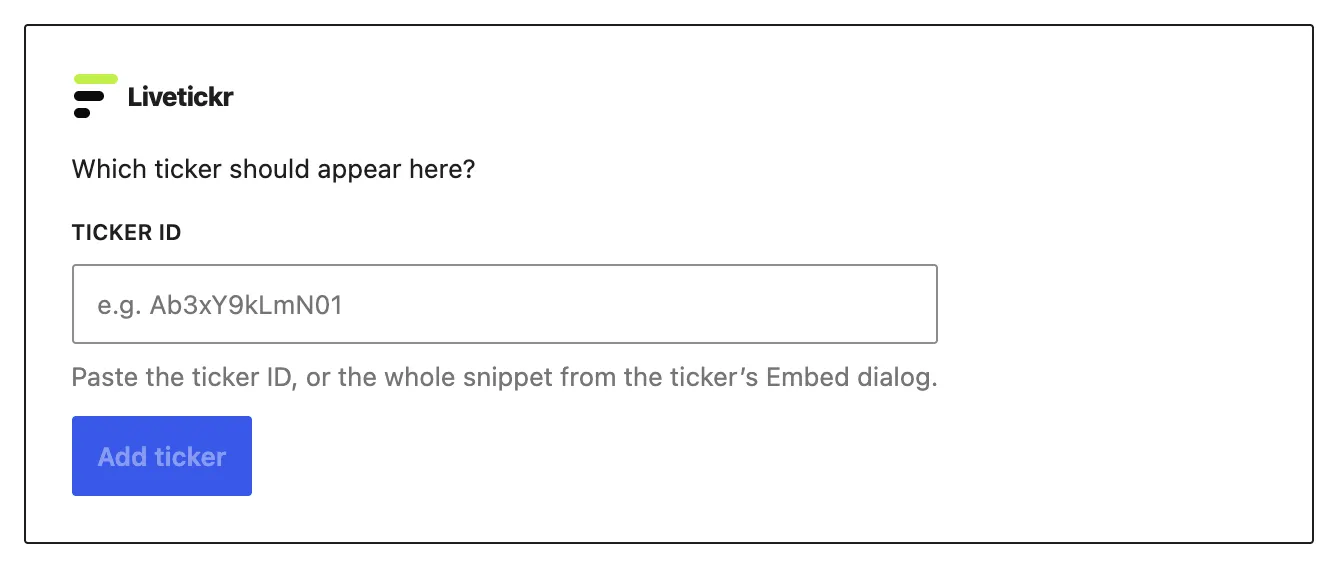
You find the ID in the ticker’s Embed dialog in Livetickr. It is the twelve-character code in the snippet. You can also paste the whole snippet: the block reads the ID out of it.
Already pasted the snippet into a Custom HTML block? Select it and choose Transform to → Livetickr from its toolbar. The ID is taken over.
Option 2: Shortcode
Section titled “Option 2: Shortcode”For the classic editor, page builders and widgets:
[livetickr id="Ab3xY9kLmN01"]ticker= and key= work as aliases, and the ID can also be passed on its own:
[livetickr Ab3xY9kLmN01]. Pasted into the block editor, the shortcode turns
into the Livetickr block by itself.
To place a ticker from a theme template:
<?php echo do_shortcode( '[livetickr id="Ab3xY9kLmN01"]' ); ?>Caching and optimization plugins
Section titled “Caching and optimization plugins”The ticker renders exactly where its script tag sits in the page. A plugin that moves scripts to the footer, bundles them or delays them does not make the ticker faster; it makes it appear in the wrong place, or not at all.
The plugin marks its script for Cloudflare Rocket Loader, WP Rocket,
Autoptimize, LiteSpeed Cache, SG Optimizer and Perfmatters, so those leave it
alone. If another optimization plugin interferes, exclude embed.js from its
JavaScript handling. Page caches are fine: the tag itself is static, and the
reader’s browser fetches the feed.
How the ticker looks
Section titled “How the ticker looks”The ticker’s design comes from Livetickr, not from the plugin, so it looks the same everywhere you embed it. Colors, feed style and branding are set under Appearance in your Livetickr workspace.
Languages
Section titled “Languages”The plugin is in English and German. The German translation is the de_DE
locale, which uses the informal “du”. Sites set to another German locale, such
as de_DE_formal, de_AT or de_CH, see the English original: WordPress
does not fall back from one German locale to another for plugin translations.
When the ticker stays empty
Section titled “When the ticker stays empty”- The domain is not registered. This is by far the most common cause. Register it under Workspace settings → General in Livetickr.
- The ticker is still a draft. Drafts are served to nobody. Set the ticker live.
- The page shows a short grey notice instead of the feed. The notice says what is wrong. When the feed shows a notice explains each one.